


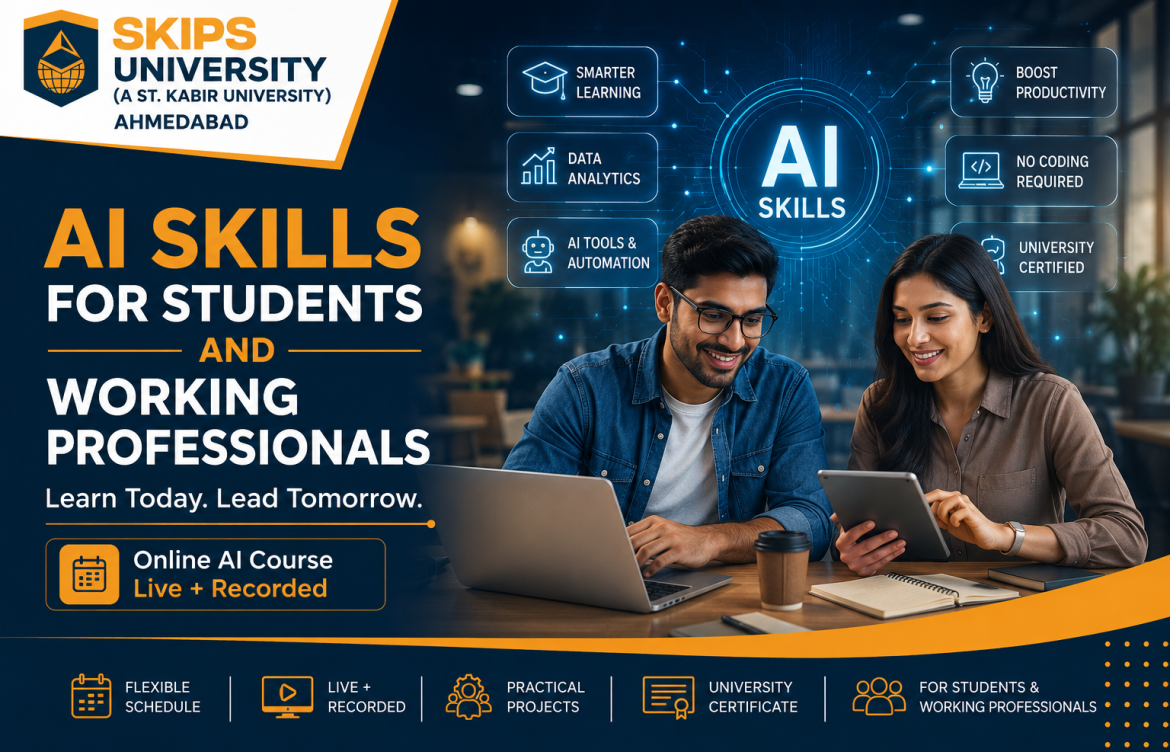
AI Skills Students and Working Professionals Should Learn in 2026
A few years ago, learning Artificial Intelligence usually meant studying programming, statistics, machine learning models and computer science.
That is no longer the complete picture.
AI has moved into everyday work and education. A student can use it to understand a difficult topic. A manager can use it to summarise a long report. A marketer can use it to explore campaign ideas. An entrepreneur can use it to organise customer information. A working professional can use it to reduce time spent on repetitive tasks.
The bigger challenge today is not getting access to AI.
It is learning how to use it properly.
Opening ChatGPT and typing a question does not automatically make someone skilled in AI. Useful AI literacy involves knowing what to ask, how to check the answer, when to use another tool and when human judgement should take over.
For students and professionals entering an increasingly AI-enabled world, these skills are becoming worth learning.
What Does It Mean to Be AI-Literate?
AI literacy is not the same as becoming an AI engineer.
For most students and professionals, AI literacy means being able to use modern AI systems confidently while understanding their limitations.
An AI-literate person should know how to:
- Give an AI tool clear instructions
- Provide useful context
- Check whether an answer is reliable
- Select an appropriate tool for the task
- Protect confidential information
- Recognise obvious mistakes or bias
- Use AI without becoming completely dependent on it
- Combine AI with existing knowledge
- Apply AI to a real problem
That last point matters.
Knowing what a tool can do is useful. Knowing how to apply it to your own study or work is far more valuable.
Why Students Should Learn AI
Students entering college or the workforce over the next few years are likely to work in environments where AI is already part of normal business activity.
That does not mean every student needs to become a programmer.
A Commerce student may use AI differently from a Computer Science student. A BBA student may use it differently from a design student. A Class 12 student may need completely different applications from a working manager.
The core skill is understanding how AI can support the task in front of you.
For students, that may include:
- Understanding difficult concepts
- Creating practice questions
- Organising notes
- Planning study schedules
- Exploring project ideas
- Structuring presentations
- Researching a topic
- Comparing different viewpoints
- Improving communication
- Preparing for interviews
- Developing a portfolio
Used responsibly, AI can become a learning assistant.
Used carelessly, it can become a shortcut that prevents real learning.
A Better Way for Students to Use AI
Consider a student studying economics.
A weak use of AI would be:
“Write my assignment on inflation.”
A much better approach would be:
“Explain demand-pull and cost-push inflation in simple language. Give one Indian example of each. Then ask me five questions to test whether I understood the difference.”
The second prompt forces the student to participate in the learning process.
That is an important habit.
AI should make you think better, not remove the need to think.
Why Working Professionals Should Learn AI
For professionals, the question is usually not, “How do I become an AI specialist?”
It is:
“How can AI help me do my existing work better?”
A professional in marketing, sales, finance, HR, consulting or operations already has domain knowledge.
AI becomes valuable when it supports that expertise.
For example, professionals may use AI to:
- Summarise reports
- Organise meeting notes
- Draft first versions of emails
- Compare competitors
- Generate presentation structures
- Explore campaign ideas
- Analyse large amounts of text
- Create standard operating procedures
- Organise research
- Prepare interview questions
- Improve documentation
- Automate repetitive steps
AI may reduce the time required for some tasks, but human judgement still matters.
A financial professional must still verify numbers.
An HR professional must still consider fairness and confidentiality.
A marketer must still understand the audience.
A manager must still make the decision.
1. Learn How Generative AI Works
Generative AI refers to systems that can create new content based on instructions.
That content may include:
- Text
- Images
- Audio
- Video
- Presentations
- Software code
- Data summaries
Popular tools include ChatGPT, Google Gemini, Claude and Microsoft Copilot.
You do not need to understand the mathematics behind a large language model to use one effectively.
But you should understand that these systems predict and generate responses based on patterns.
They do not “know” information in the same way a human expert does.
That is why they can sometimes produce incorrect information very confidently.
2. Learn Prompt Engineering
Prompt Engineering sounds technical, but the basic idea is simple.
You are learning how to communicate clearly with an AI system.
A good prompt often contains:
- The task
- Context
- Audience
- Constraints
- Desired format
- Examples, when useful
Compare these prompts.
Basic prompt:
“Write about digital marketing.”
Better prompt:
“Explain SEO, social media marketing, paid advertising and email marketing to a first-year BBA student. Use simple language, provide one business example for each and finish with a comparison table.”
The second prompt gives the AI a much clearer job.
Prompt Engineering is not about memorising one perfect prompt.
It is about developing the ability to explain what you want.
3. Learn How to Verify AI Answers
This may be the most important AI skill of all.
AI systems can produce:
- Wrong dates
- Invented statistics
- Incorrect names
- Outdated information
- Unsupported claims
- Fake citations
A confident answer is not automatically a correct answer.
Before using important AI-generated information:
- Check the original source.
- Verify important numbers.
- Confirm dates.
- Compare reliable sources.
- Review links and citations.
- Use your own subject knowledge.
Students should especially follow this when using AI for research.
Professionals should follow it before using AI output in reports, decisions or customer communication.
4. Learn Responsible AI Use
AI also raises questions that are not purely technical.
Students and professionals should understand:
- Privacy
- Confidentiality
- Bias
- Copyright
- Academic integrity
- Transparency
- Human oversight
For example, a professional should not casually upload confidential customer information to a public AI platform.
A student should not submit AI-generated work without understanding their institution’s academic-integrity rules.
Knowing how to use AI responsibly is becoming as important as knowing how to use it efficiently.
5. Learn AI-Assisted Research
AI can make the early stages of research much faster.
You can use it to:
- Understand unfamiliar terminology
- Identify possible research questions
- Create a reading plan
- Compare viewpoints
- Summarise information
- Generate questions for deeper investigation
But research should not stop at the AI answer.
The final information should come from reliable original sources.
A useful habit is:
Use AI to discover → use sources to verify → use your judgement to conclude.
6. Learn AI for Communication
Students and professionals spend a large amount of time communicating.
AI can assist with:
- Emails
- Reports
- Presentations
- Meeting summaries
- Resume writing
- LinkedIn profiles
- Proposal outlines
- Interview preparation
The danger is allowing every message to sound artificial.
A better approach is to use AI as an editor or starting point while keeping your own voice.
7. Learn AI for Presentations
AI can help prepare:
- Presentation structures
- Slide outlines
- Key talking points
- Examples
- FAQs
- Speaker notes
Students can use this for classroom presentations.
Professionals can use it for internal reviews, client presentations and proposals.
The important part is still understanding what you are presenting.
If you cannot explain the slide without reading it, AI has not solved the real problem.
8. Learn No-Code AI Automation
Using one AI tool manually is useful.
Connecting AI to a repeatable process can be even more powerful.
No-code automation platforms allow users to create workflows using visual interfaces rather than building software from scratch.
A simple example might be:
New enquiry received → information organised → AI prepares a summary → record updated → relevant person notified
Possible applications include:
- Lead management
- Reporting
- Customer-service workflows
- Research
- HR administration
- Content processes
- Internal notifications
No-code platforms can make automation accessible to people without traditional programming backgrounds.
9. Learn the Basics of AI Agents
AI agents are becoming an important part of the AI conversation.
An ordinary chatbot usually responds to a request.
An agent may be designed to:
- Receive a goal
- Choose an action
- Use a connected tool
- Review the result
- Continue to another step
This does not mean agents should be allowed to operate without supervision.
For important tasks, human approval remains essential.
Students and professionals should first understand simple AI usage and workflow automation before moving into more complex agent-based systems.
10. Build Something Practical
One of the best ways to learn AI is to build something.
It does not need to be complicated.
A student might create:
- A study assistant
- A research workflow
- A career-planning assistant
- A presentation helper
- A basic chatbot
A working professional might create:
- A report-summarisation workflow
- A lead-classification system
- A meeting-summary process
- A content workflow
- A customer-query assistant
A working project gives you something far more useful than simply saying:
“I know ChatGPT.”
You can explain what you built, what problem it solves and what you learned.
Which AI Tools Should You Learn?
There is no need to learn every AI platform.
Tools are changing too quickly.
Instead, understand the major categories.
Conversational AI
Examples:
- ChatGPT
- Google Gemini
- Claude
- Microsoft Copilot
Useful for research, writing, analysis and brainstorming.
AI Research Tools
Useful for discovering information, exploring sources and organising research.
Important information should still be verified.
Creative AI
Useful for:
- Images
- Videos
- Presentations
- Audio
- Content ideation
Automation Platforms
Useful for connecting AI with:
- Forms
- CRM systems
- Spreadsheets
- Databases
- Communication platforms
Once you understand categories, learning a new tool becomes easier.
Can You Learn AI Without Coding?
Yes.
Many practical AI applications do not require traditional programming.
Students and professionals can learn:
- Generative AI
- Prompt Engineering
- AI research
- Productivity tools
- AI assistants
- No-code automation
without first learning Python or Java.
Coding becomes more important if you want to pursue careers such as:
- AI Engineer
- Machine Learning Engineer
- Data Scientist
- Software Developer
- AI Researcher
Practical AI literacy and technical AI engineering are related, but they are not the same thing.
What Should Students Learn First?
A sensible learning order is:
- AI fundamentals
- Generative AI
- Prompt Engineering
- Verification
- Responsible AI
- AI productivity tools
- Practical projects
- No-code automation
- AI agents
There is no advantage in jumping into advanced automation if you do not understand the basics.
What Should Working Professionals Learn First?
Professionals should start with their actual work.
Ask:
- What takes too much time?
- What is repetitive?
- What involves large amounts of information?
- What could be improved with better research?
- What needs faster first drafts?
Then learn AI around those problems.
This tends to be more valuable than learning tools without a clear use case.
Learning AI Through SKIPS University Future Skills
SKIPS University offers online Future Skills programmes for students and working professionals who want structured exposure to practical Artificial Intelligence applications.
The current learning tracks include:
Fundamentals of AI
Designed to introduce areas such as:
- AI fundamentals
- Generative AI
- Large Language Models
- Prompt Engineering
- Responsible AI
- AI research
- Productivity applications
- Practical AI projects
Workflow Automation with No-Code AI
Designed for learners interested in:
- AI assistants
- Chatbots
- No-code workflows
- Automation
- AI agents
- Webhooks
- Connected AI tools
- Business workflows
Current programme information includes approximately:
- 30 days of learning
- 52 hours of structured learning activity
- Recorded modules
- Live Saturday sessions
- Practical assignments
- Capstone projects
- Exposure to 25+ AI and productivity tools
- No traditional coding prerequisite
- A verifiable SKIPS University certificate
- One-year access to programme recordings and learning materials
AI Learning for Students
SKIPS University offers a dedicated programme route for:
- Class 11 students
- Class 12 students
- College students
The focus is on practical AI use, responsible learning, projects and future-ready skills.
Explore the AI programme for students:
https://online.skipsuniversity.edu.in/students.html
AI Learning for Working Professionals
A separate programme experience is available for:
- Working professionals
- Managers
- Entrepreneurs
- Consultants
- Business owners
The focus is on productivity, workplace applications and practical AI automation.
Explore the AI programme for working professionals:
https://online.skipsuniversity.edu.in/working-professional.html
Frequently Asked Questions
Can beginners learn AI?
Yes. Beginners can start with Generative AI, prompting, research, responsible AI and practical tools without needing advanced technical knowledge.
Is coding required to learn practical AI?
No. Many practical Generative AI and no-code automation applications can be learned without traditional programming.
Can Commerce students learn AI?
Yes. AI is relevant to Finance, Marketing, Business Analytics, Entrepreneurship, Management and several other commerce-related fields.
Can Arts students learn AI?
Yes. AI can be applied in communication, research, media, content, education, design and many other fields.
What is Prompt Engineering?
Prompt Engineering is the practice of giving an AI system clear instructions, useful context and specific output requirements.
What is Generative AI?
Generative AI refers to systems capable of producing new content such as text, images, audio, video or code based on user instructions.
What is AI automation?
AI automation combines Artificial Intelligence with workflows so that selected tasks can be completed or assisted with reduced manual intervention.
What is an AI agent?
An AI agent is an AI-enabled system designed to perform one or more actions toward a defined goal using instructions and connected tools.
Can Class 11 and 12 students learn AI?
Yes. School students can begin with AI fundamentals, responsible use, Prompt Engineering and practical productivity applications.
Does SKIPS University offer an online AI programme?
Yes. SKIPS University currently offers Future Skills programmes in Fundamentals of AI and Workflow Automation with No-Code AI.
Is an AI certificate enough for an AI engineering job?
No. Technical AI roles generally require deeper knowledge of programming, mathematics, algorithms and machine learning in addition to practical AI-tool experience.
Final Thoughts
The most valuable AI skill is not knowing the largest number of tools.
It is knowing how to think clearly while using them.
Students should learn how AI can support education without replacing learning.
Professionals should learn how AI can support their expertise without replacing judgement.
Start with fundamentals.
Learn how to prompt.
Verify information.
Understand responsible use.
Build something practical.
Then move into automation and more advanced applications.
AI will continue to change.
The ability to learn, evaluate and apply it responsibly is likely to remain useful much longer than expertise in any single tool.
For Students:
https://online.skipsuniversity.edu.in/students.html
For Working Professionals:
https://online.skipsuniversity.edu.in/working-professional.html
Programme details, tools, schedules and curriculum may evolve as AI technologies change. Refer to the official SKIPS University programme pages for current information.